TOPIC: Vina Bakery II

Vina Bakery II 10 years 11 months ago #1551

  • Martin de Graaf
  • Martin de Graaf's Avatar
  • OFFLINE
  • Junior Member
  • Posts: 32
  • Orders: 1
  • Download: 17
  • Karma: 0
Hello,

I am new on this forum and downloaded this very nice template. After a few times installing it is working properly. The only question I have is about the language. I can't change the language into my own language in the back-end. I uploaded my own language and set this language as default, but the language stays English. Is there a way to change that into my own (Dutch) language?
The administrator has disabled public write access.

Vina Bakery II 10 years 11 months ago #1558

  • Rango
  • Rango's Avatar
  • OFFLINE
  • Administrator
  • Posts: 848
  • Thank you received: 115
  • Karma: 22
@Martin de Graaf: I think you've missing some step to change the language in your website. Please try follow this: www.inmotionhosting.com/support/edu/joom...anging-site-language
No pain no gain! Accept the pain, future will be fruitful!
The administrator has disabled public write access.
The following user(s) said Thank You: Martin de Graaf

Hover effect is gone after changing the name of the article 10 years 10 months ago #1667

  • Martin de Graaf
  • Martin de Graaf's Avatar
  • OFFLINE
  • Junior Member
  • Posts: 32
  • Orders: 1
  • Download: 17
  • Karma: 0
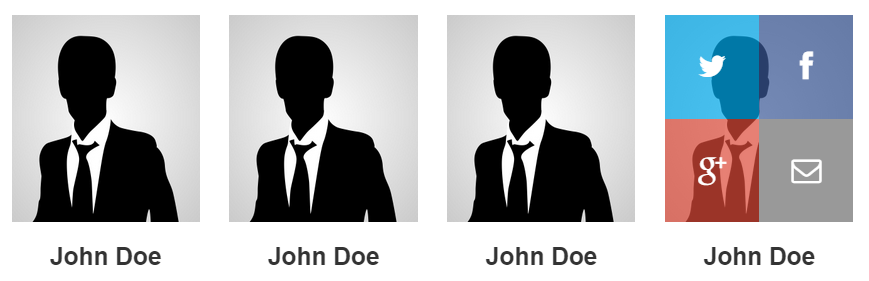
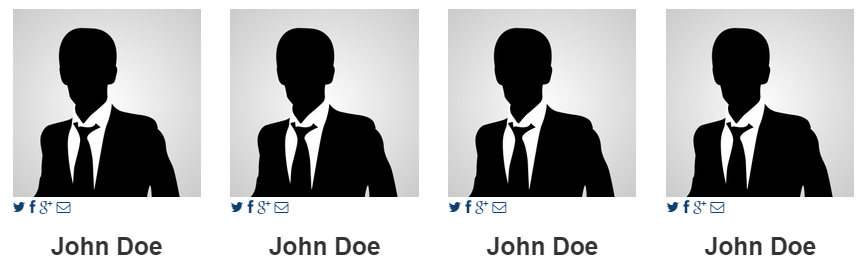
I have a few questions about the very nice hover effect for contact in the Vina_Bakery template. I was looking at the code to fill in the links to Facebook, Twitter, etc. First of all I changed the name of the article but after changing and saving the name, the hover effect was gone. I tried to find the code for the hover effect but could not find it.
So my first question is where I can make it work again and my second question is where I can put the code for linking to the social media.

This picture shows how the hover supposed to be working:
Hover1.png


This picture shows how the hover stopped working and the social contact icons are underneath the picture:
Hover2.png
Last Edit: 10 years 10 months ago by Martin de Graaf.
The administrator has disabled public write access.

Hover effect is gone after changing the name of the article 10 years 10 months ago #1684

  • Cuộc Sống Số
  • Cuộc Sống Số's Avatar
  • OFFLINE
  • Platinum Member
  • Life is not waiting!
  • Posts: 659
  • Orders: 0
  • Download: 129
  • Thank you received: 148
  • Karma: 33
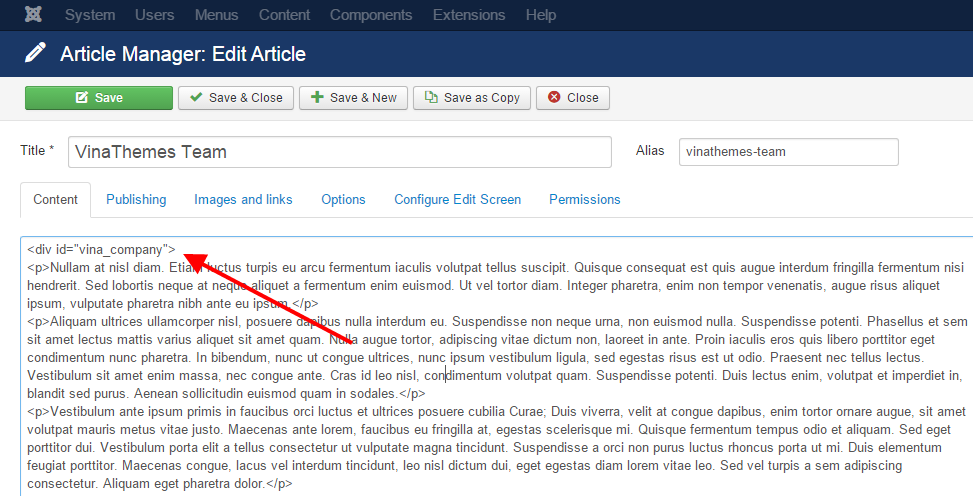
@Martin de Graaf : You need 1 div sheathed your post:
<div id="vina_company">


company.png
Cuộc Sống Số - Quick CSS Game
Choose your level and start playing by clicking the topics below ...
♚ ♛ ♜ ♝ ♞ ♟ ♔ ♕ ♖
The administrator has disabled public write access.
The following user(s) said Thank You: Martin de Graaf

Vina Bakery II 10 years 10 months ago #1784

  • Martin de Graaf
  • Martin de Graaf's Avatar
  • OFFLINE
  • Junior Member
  • Posts: 32
  • Orders: 1
  • Download: 17
  • Karma: 0
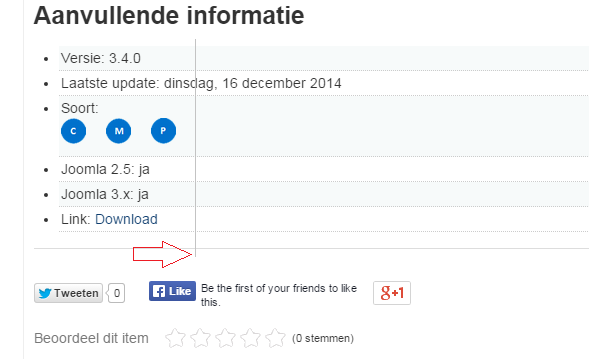
When I am using the extra fields in K2, they are NOT adjust. It seems that the code in the template override these functionality. Can you help me find the code where I must change that, so that the extra fields and nicely underneath adjust to each other. See the picture below:

Alignment.png
The administrator has disabled public write access.

Vina Bakery II 10 years 10 months ago #1788

  • Cuộc Sống Số
  • Cuộc Sống Số's Avatar
  • OFFLINE
  • Platinum Member
  • Life is not waiting!
  • Posts: 659
  • Orders: 0
  • Download: 129
  • Thank you received: 148
  • Karma: 33
@ Martin de Graaf,

You can edit code at file item.php : ROOT/templates/YOUR-TEMPLATE/html/com_k2/default/item.php :
 <?php if($this->item->params->get('itemExtraFields') && count($this->item->extra_fields)): ?>
	  <!-- Item extra fields -->
	  <div class="itemExtraFields">
	  	<h3><?php echo JText::_('K2_ADDITIONAL_INFO'); ?></h3>
	  	<ul>
			<?php foreach ($this->item->extra_fields as $key=>$extraField): ?>
			<?php if($extraField->value != ''): ?>
			<li class="<?php echo ($key%2) ? "odd" : "even"; ?> type<?php echo ucfirst($extraField->type); ?> group<?php echo $extraField->group; ?>">
				<?php if($extraField->type == 'header'): ?>
				<h4 class="itemExtraFieldsHeader"><?php echo $extraField->name; ?></h4>
				<?php else: ?>
				<span class="itemExtraFieldsLabel"><?php echo $extraField->name; ?>:</span>
				<span class="itemExtraFieldsValue"><?php echo $extraField->value; ?></span>
				<?php endif; ?>
			</li>
			<?php endif; ?>
			<?php endforeach; ?>
			</ul>
	    <div class="clr"></div>
	  </div>
	  <?php endif; ?>

And style them by override css : div.itemExtraFields, .itemExtraFieldsHeader, .itemExtraFieldsLabel , .itemExtraFieldsValue...
Cuộc Sống Số - Quick CSS Game
Choose your level and start playing by clicking the topics below ...
♚ ♛ ♜ ♝ ♞ ♟ ♔ ♕ ♖
The administrator has disabled public write access.
Leather Purses & Handbags, Women’s Crossbody Bags, Tote Bags for Women, Leather Backpacks, Men’s Wallets & Card Cases, Official OLEVS Website, OLEVS Couple Watches, OLEVS Women's Watches, OLEVS Men's Watches, OLEVS Watch, OLEVS Watches